Leave it in the paddock.
HayMate logs temperature and humidity every 5 minutes, then sends the readings to the cloud every 10 minutes over the Telstra 4G/4GX network.
 HAYMATEBY FARMTELL
HOW IT WORKS
Watch the app walkthroughs, see how alerts are set up and learn how to bring your team into the picture.
SEE IT IN THE HAY MATE APP
Check the latest readings, follow the change over time and choose who gets the heads-up.
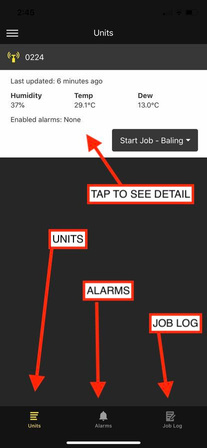
See when your unit last reported, check its readings and tap through for more detail.
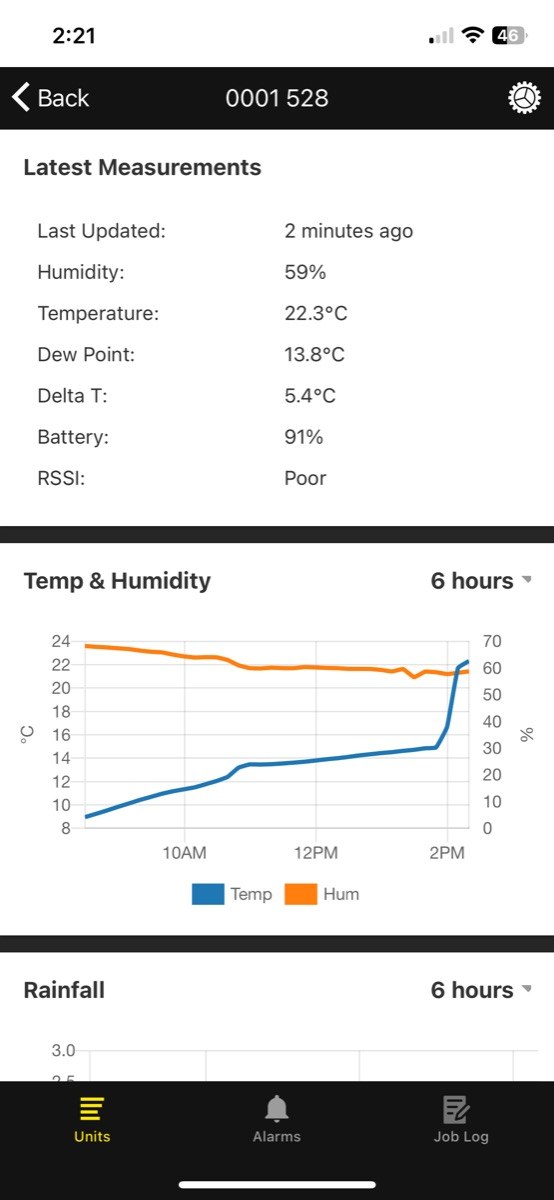
Switch the graph between hours or days to see how temperature and humidity are moving.
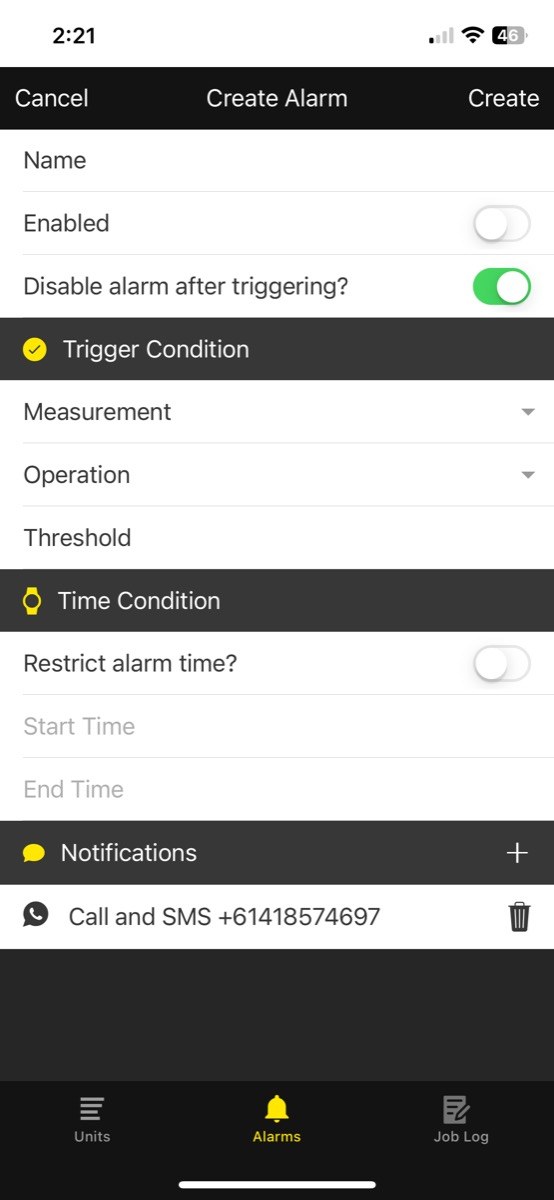
Choose your measurement and threshold, set any time restrictions and select who receives calls and texts.
Screens from the Hay Mate app and V6 user guide. Available readings vary by model and app version; the values shown are examples.
The guide covers setup, graphs, alarms, team access and job logging.
HOW HAYMATE WORKS
HayMate logs temperature and humidity every 5 minutes, then sends the readings to the cloud every 10 minutes over the Telstra 4G/4GX network.
Open the Hay Mate app to see your readings graphed over time. Set a humidity alarm at the threshold you want to know about.
When humidity reaches your chosen threshold, HayMate calls and texts your phone—and the other users you’ve selected in your hay team.
THE QUICK INTRODUCTION
APP WALKTHROUGHS
These walkthroughs show the existing HayMate app. Some screens may differ from the version you use.
Get familiar with the app and viewing your paddock readings.
See how to choose and change your alert settings.
An introduction to the job logging feature.
See how to add other people to your account.
MAKE YOUR NEXT BALING WINDOW COUNT
Tell Peter where you work and what you need to monitor.